What has changed
checkout.liquidhas been unsupported for the information, shipping and payment steps since August 13, 2024.- Since August 28, 2025 the same applies to the thank-you and order status pages, including additional scripts.
- Shopify Scripts, the Ruby scripts for discounts, shipping and payment, stopped running on June 30, 2026.
If something that used to be in your checkout is gone, such as a tracking code on the thank-you page or a discount from a script, this change is usually why.
The four building blocks
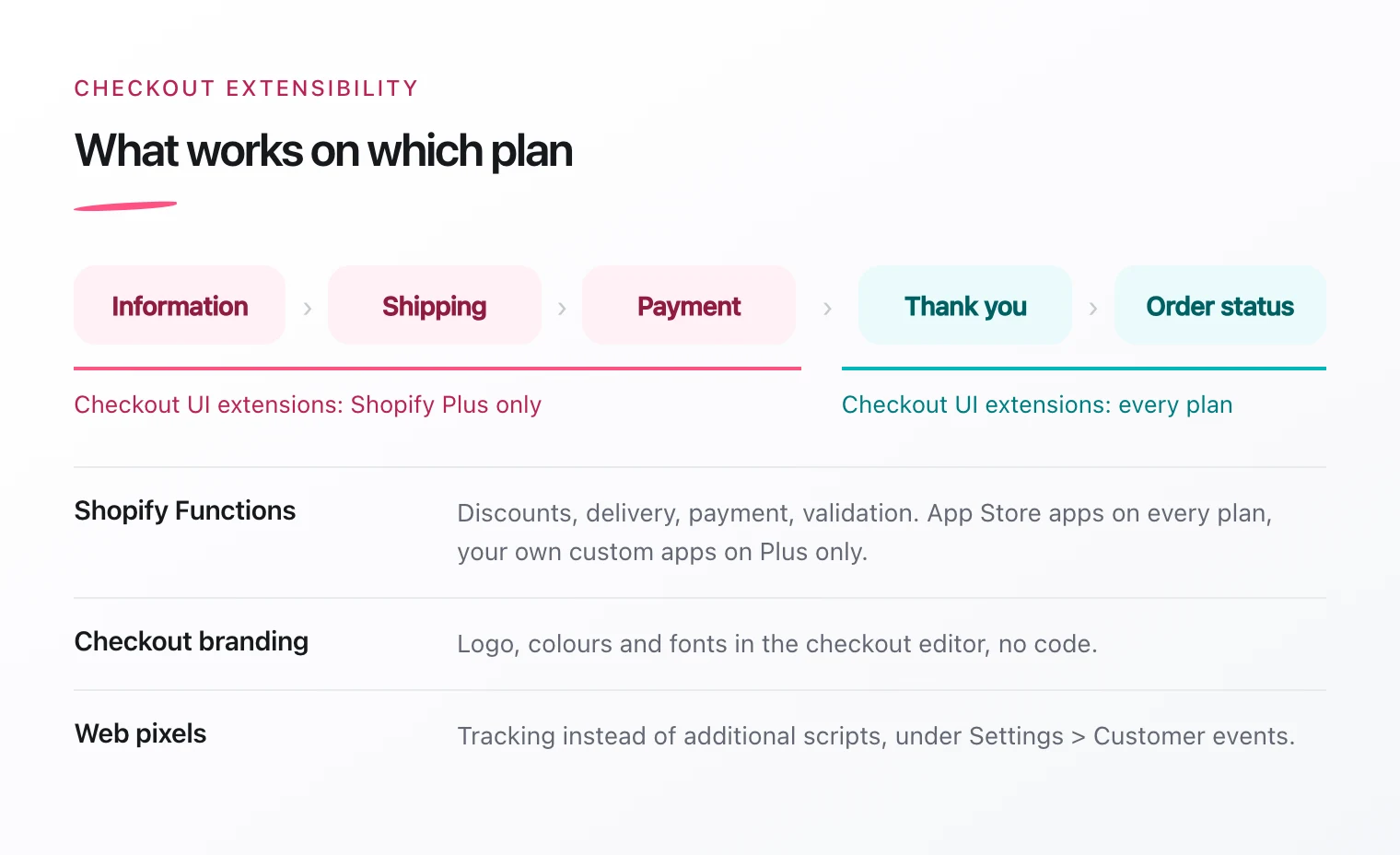
Checkout UI extensions
They add your own elements directly to checkout: a delivery time notice, an upsell, a field for a gift message or a survey on the thank-you page. Extensions live in an app and are placed in the checkout editor, where you can move them around without code.
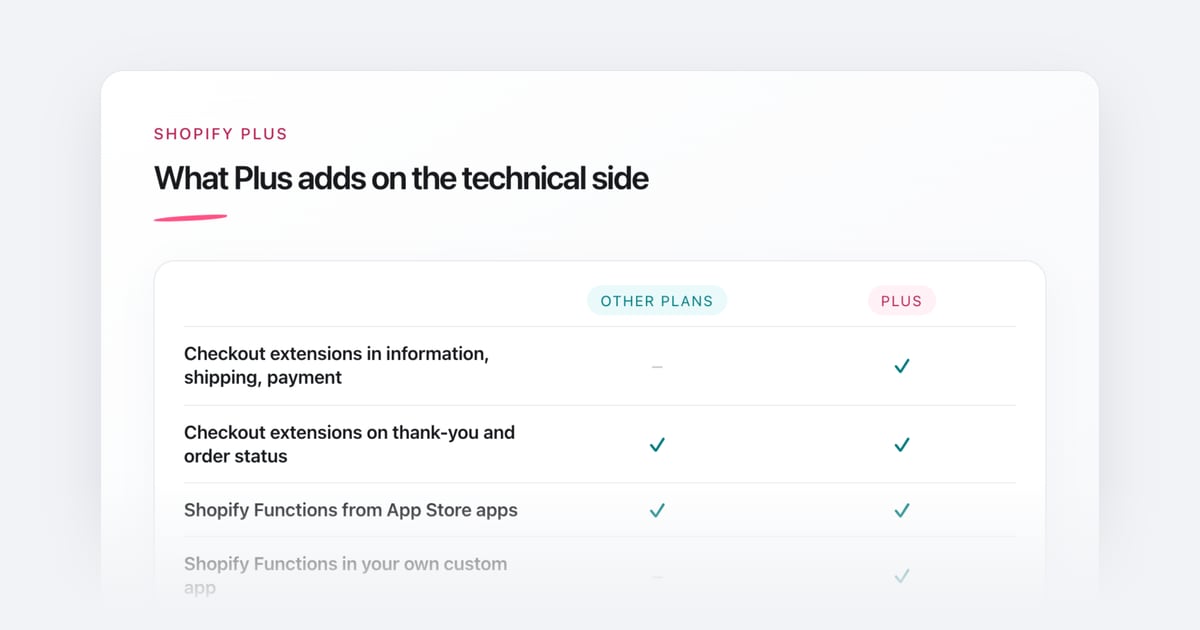
Important: for the information, shipping and payment steps you need Shopify Plus. On the thank-you and order status pages, extensions work on every plan.
Shopify Functions
Functions control the logic behind checkout: custom discounts, hiding or renaming delivery options, offering payment methods depending on the cart, or validating orders before purchase. They replace the old Shopify Scripts.
Apps from the App Store that contain Functions work on every plan. A custom app with Functions built only for your store requires Shopify Plus.
Checkout branding
Set your logo, colours and fonts in the checkout editor, without code. That way checkout matches the rest of your store.
Web pixels
Tracking codes that used to sit in additional scripts on the thank-you page now run as pixels. Google, Meta and many other providers offer their own apps for this. For everything else, add a custom pixel under Settings > Customer events.
Example: collecting birthdays after purchase
For the Munich jewellery brand CAPULET, I built a checkout UI extension for the thank-you page. Customers enter their birthday after purchase. The extension picks up the email address automatically and writes the birthday straight into the Klaviyo profile, where it triggers automated birthday campaigns. Checkout itself stays unchanged.
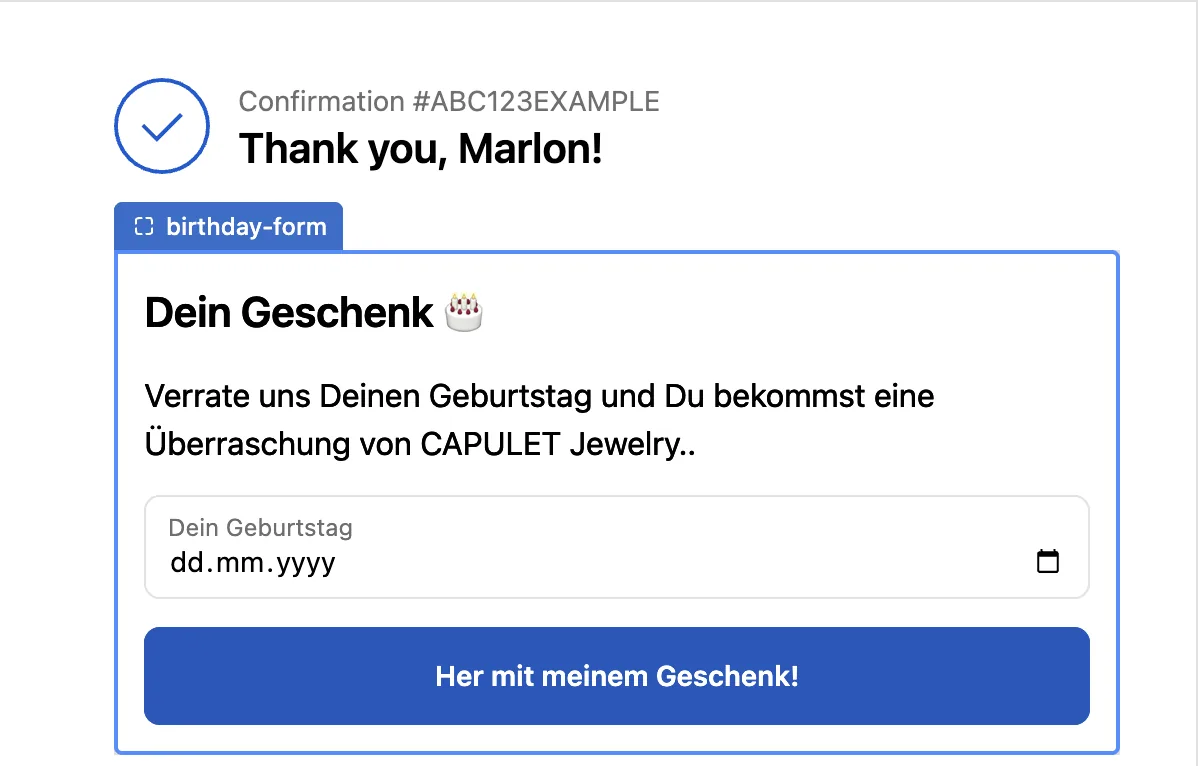
The birthday extension on CAPULET’s thank-you page.
Existing app or custom build?
Look in the Shopify App Store first. There are ready-made apps for upsells, gift options or delivery dates. A custom extension is worth it when
- data should flow into your own systems, such as Klaviyo, a loyalty programme or your inventory system,
- no app does exactly what you need,
- you don’t want to pay a recurring app fee for a small feature.
A custom extension is built as a custom app for your store and deployed with Shopify CLI. You then place it in the checkout editor like any other extension.