Why merchants leave WooCommerce
WooCommerce is flexible, but you look after hosting, updates, security and a stack of plugins that all have to work together. The bigger the store, the more time goes into maintenance instead of selling. Shopify takes that part off your hands. In return you work within the platform’s rules and pay monthly fees for Shopify and apps.
1. Take inventory
- Data: simple and variable products, images, categories, tags, customers, orders, coupons and reviews.
- Content: WordPress pages and blog posts. For content-heavy stores this is often the biggest part of the work.
- Plugins: list every active plugin and note what it does. Shopify has a built-in feature for many of them, and apps for the rest. Caching, security and backup plugins are no longer needed.
- Integrations: inventory management, shipping, accounting, newsletter and marketplaces.
2. Plan the data model
Shopify is structured differently from WooCommerce. Decide on the mapping before you import. Rebuilding afterwards is a lot more work.
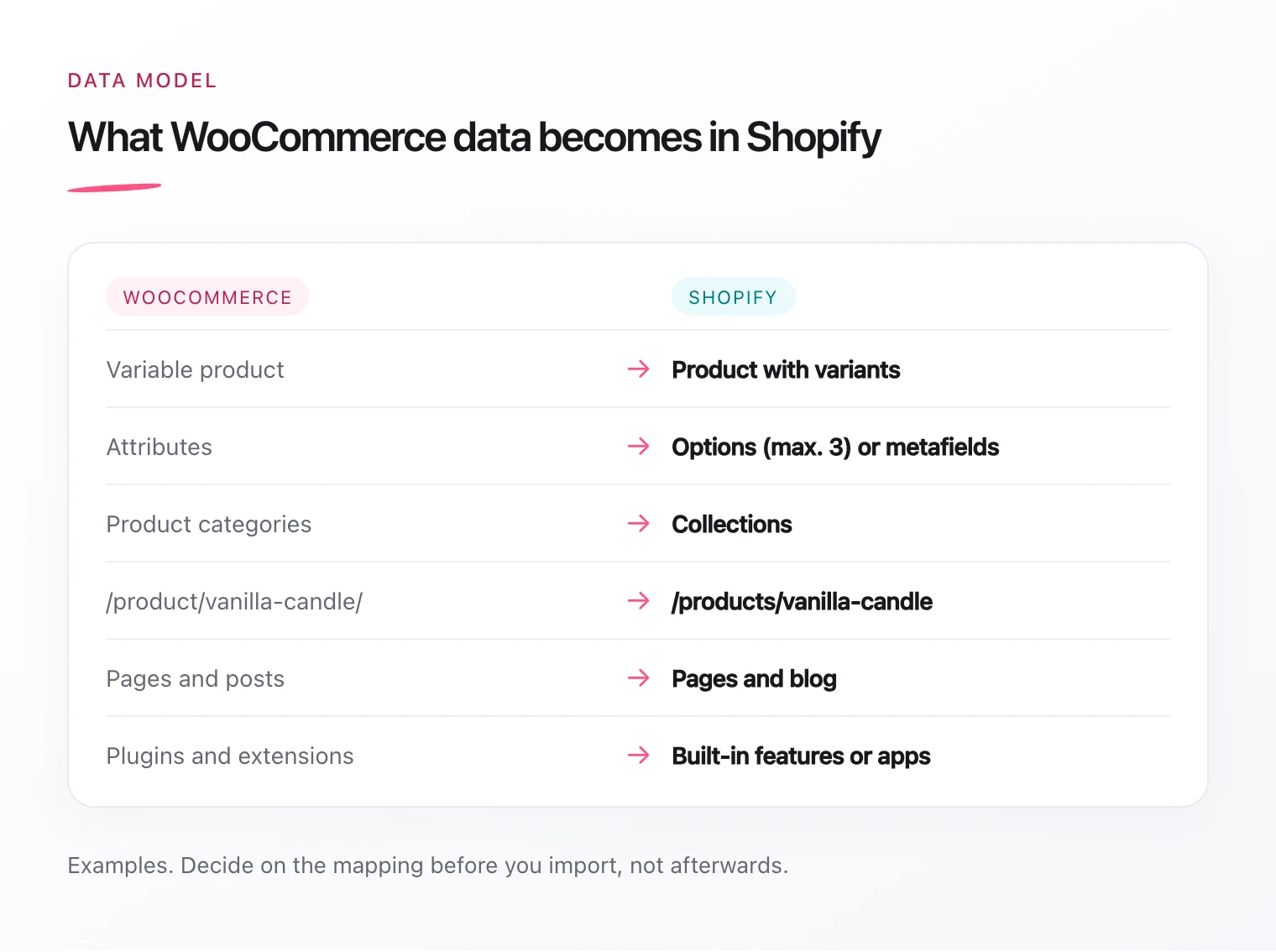
- Variable products become products with variants. Shopify allows at most three options per product, for example size, colour and material. If you have more attributes, the rest go into metafields, or you split the product.
- Attributes that only inform, such as material or care instructions, become metafields.
- Product categories become collections. You fill them by hand or automatically with rules, for example by product type or tag.
- Data from legal plugins such as Germanized or German Market: Shopify handles unit prices itself, delivery times and similar details need metafields or an app.
3. Transfer the data
- CSV import: import products and customers directly in the Shopify admin.
- Import apps: Matrixify or dedicated WooCommerce importers also bring over orders, coupons, reviews and blog posts.
- Custom script: if the data is unusual or needs a lot of reshaping, read it through the WooCommerce REST API and write it through the Shopify Admin API.
Do a test run in a development store. Check samples: variants, prices, images and stock levels.
4. Customers, orders and subscriptions
Passwords cannot be migrated, not from WordPress either. That is less of a problem than it sounds: with Shopify’s customer accounts, customers sign in with their email address and a one-time code, no password needed.
Only carry over newsletter consent you can prove.
You can import past orders so customers see their history and your reports are complete. Check whether you really need them in the store, though. For accounting, an export is often enough.
Running subscriptions are the trickiest part. If you use WooCommerce Subscriptions, the stored payment details have to move to the new subscription provider in Shopify. That goes through your payment provider and needs lead time. Plan it at the very start, not just before go-live.
5. SEO: redirects and content
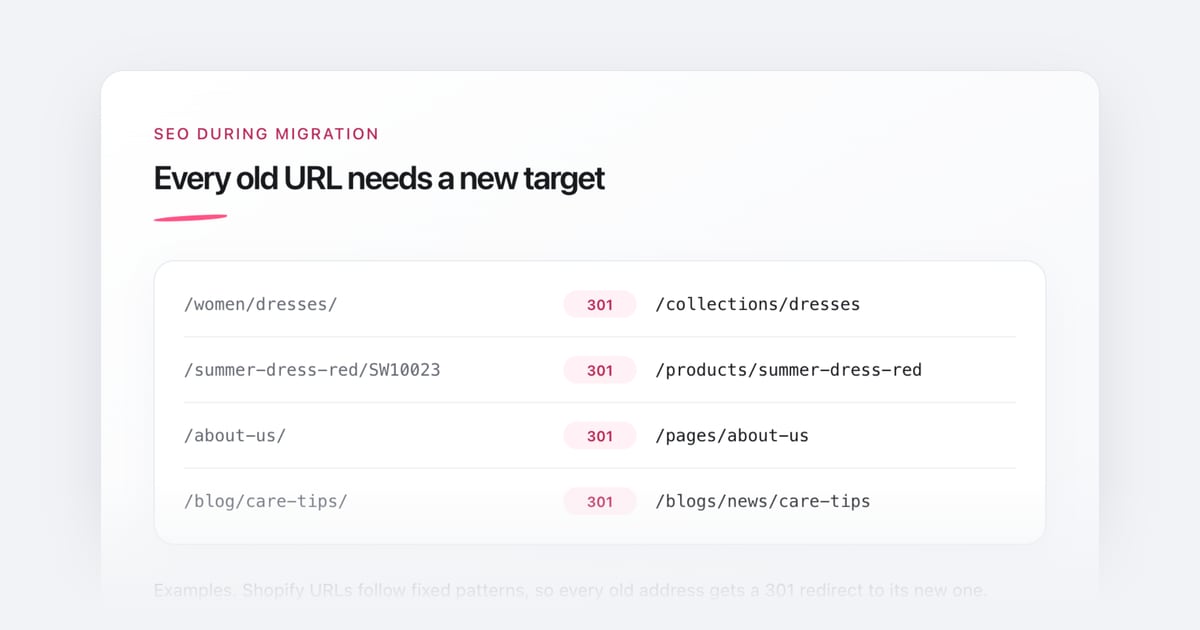
WooCommerce uses addresses like /product/name/ and /product-category/name/, and WordPress blog posts often sit directly under /post-name/. Shopify has fixed patterns: /products/, /collections/, /pages/ and /blogs/news/. Without redirects you lose rankings and backlinks.
- Export all old URLs, for example from the Yoast or Rank Math sitemap, Google Search Console and a crawl of your store.
- Map every old URL to its new one. Start with the pages that have traffic and backlinks, especially blog posts.
- Import the list as 301 redirects via CSV in Shopify.
- Carry over SEO titles and meta descriptions. Yoast and Rank Math store them in their own fields, so a standard product export often leaves them out.
- After go-live, submit the new sitemap in Search Console and watch the 404 errors over the first weeks.
6. Legal, tax and payments
- Legal texts: your imprint, privacy policy, terms and cancellation policy have to match the new store. Have a lawyer or a legal-text service update them.
- Cookie banner: the banner has to work with Shopify’s consent management, so tracking only starts after consent.
- Tax and invoices: set up your tax rates and check with your tax advisor what applies to sales to other EU countries. For invoices, Shopify usually needs an app or a connection to your accounting tool.
- Payment methods: check which payment methods your customers use today and set them up before launch.
7. Go-live
- Test orders with every payment method
- Check the email templates for orders, shipping and accounts in your language
- Point your domain to Shopify
- Spot-check redirects, including blog posts
- Check tracking and the cookie banner
- Keep the WordPress installation as a non-public backup for a while
Coming from Shopware rather than WooCommerce? Then my checklist for moving from Shopware to Shopify will help.